
Training · Nutrition · Community
Train with an edge
iAthelit brings training, nutrition and community together in three iOS apps — the iAthelit app, Envoy and EquiLens — with AI coaching, Apple Watch tracking and a guide to gym machines. On this site you can follow community stats.
Platform
Three apps. One network.
The full experience lives in the iOS apps; the site covers community stats and your account.
iAthelit app
Training, nutrition and AI coaching, paired with Apple Watch. Works without an account; only the chat needs one.
In testing · soon on the App StoreEnvoy app
The community messenger — talk training with people who actually train. Requires an iAthelit account.
In testing · soon on the App StoreEquiLens app
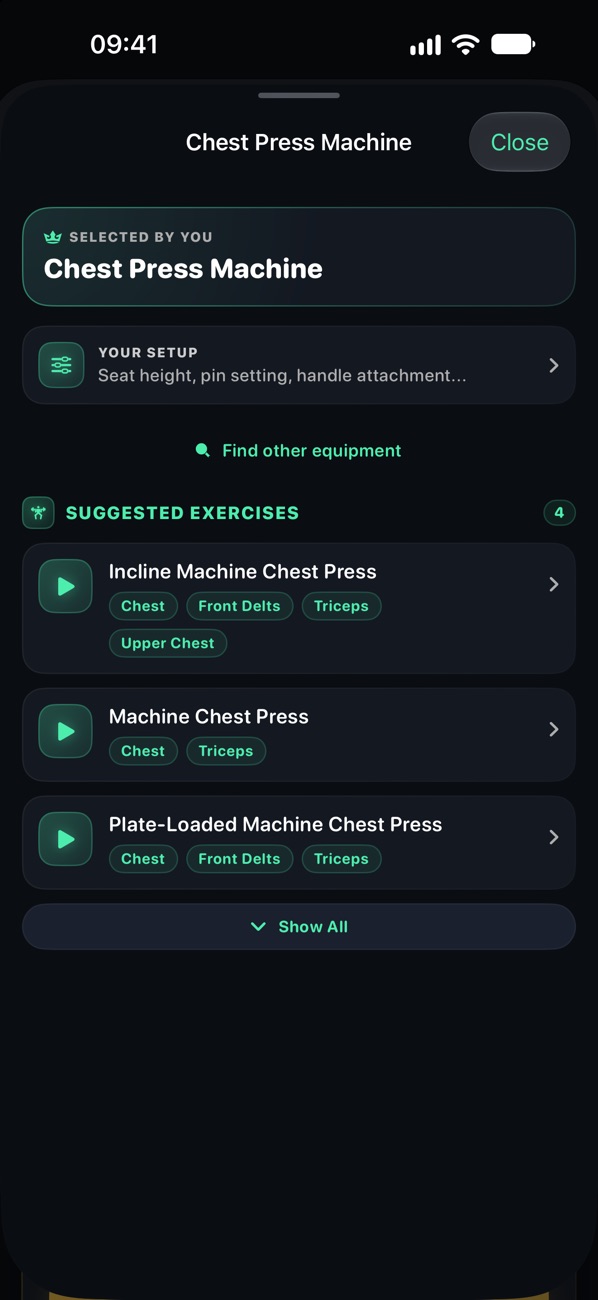
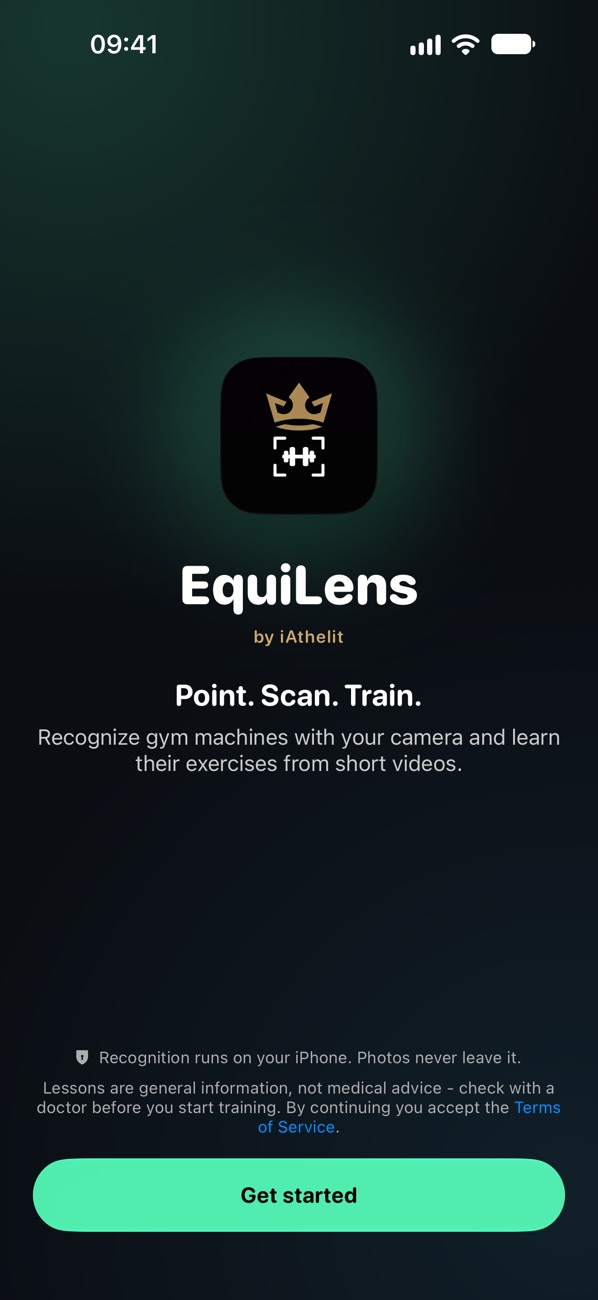
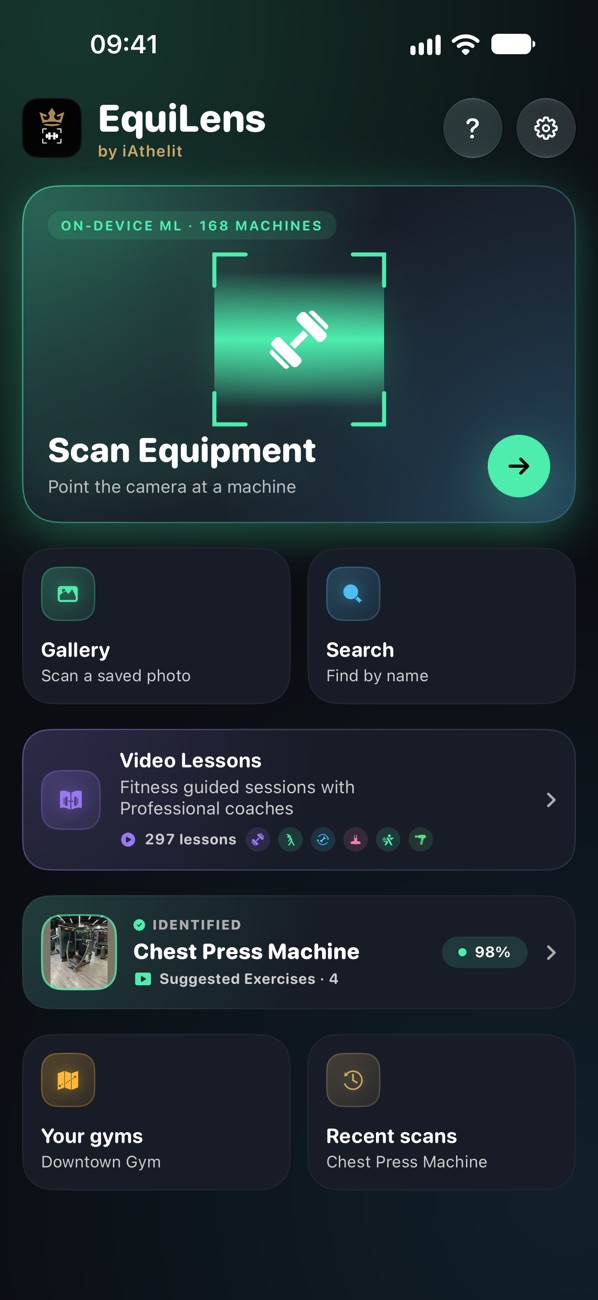
A pocket guide to gym equipment: scan a machine and see the exercises it is made for, with technique videos. No account needed.
Soon on the App StoreStats & account
Community stats for everyone; your profile once you sign in.
On this siteInside the apps
See it in action
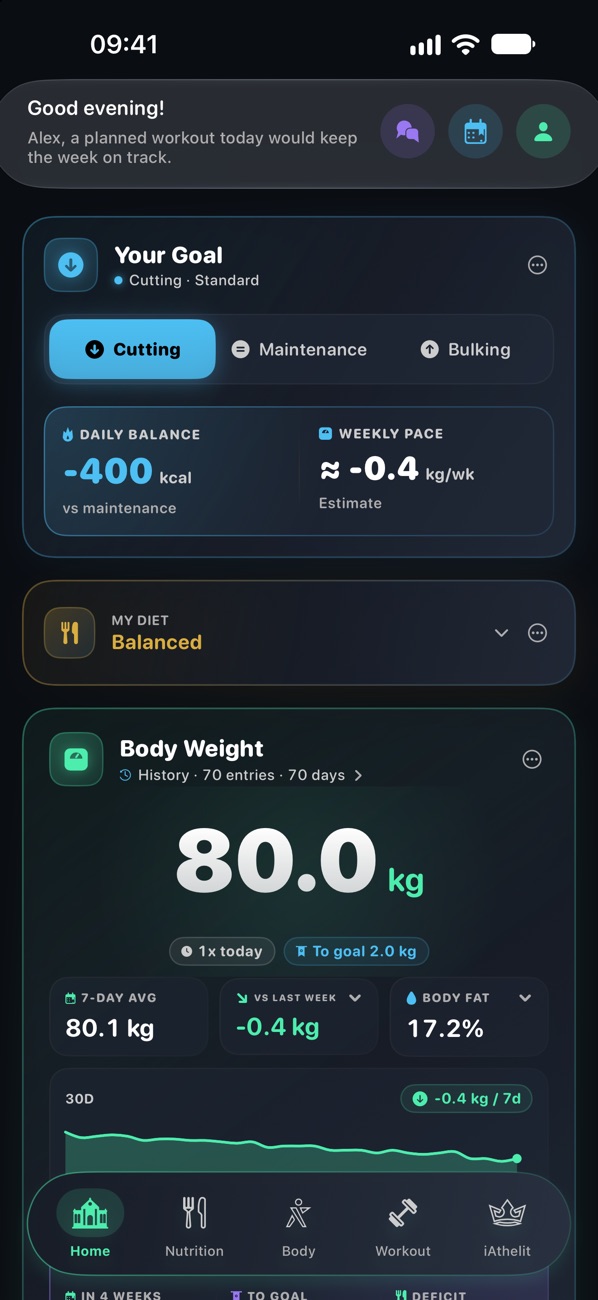
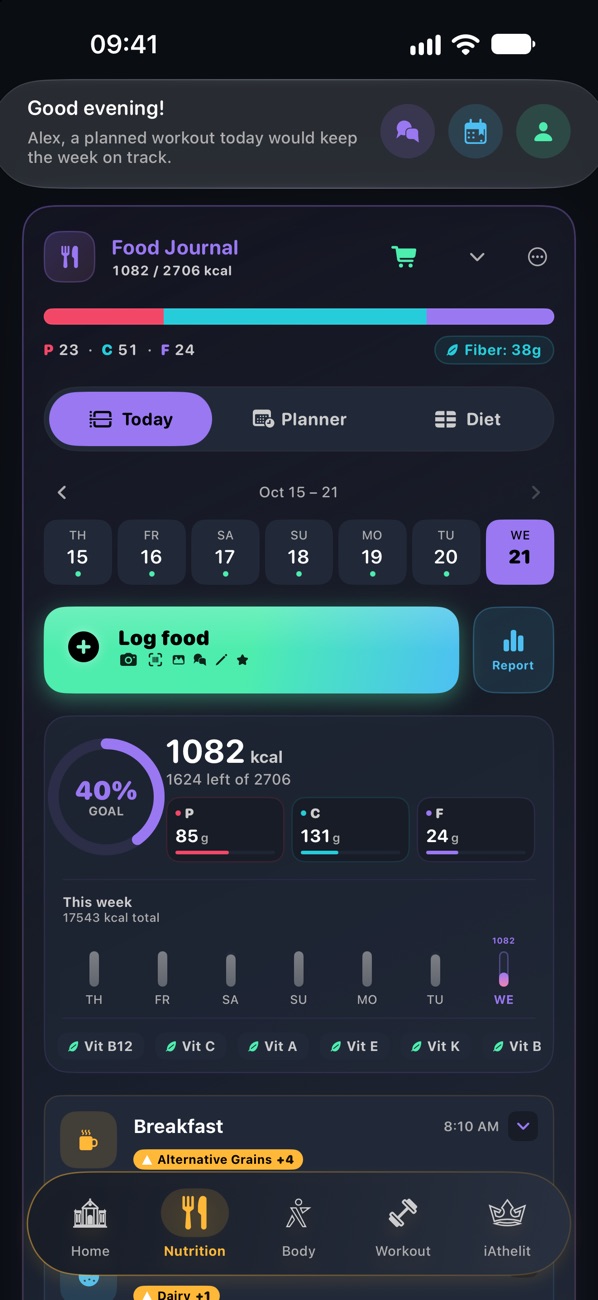
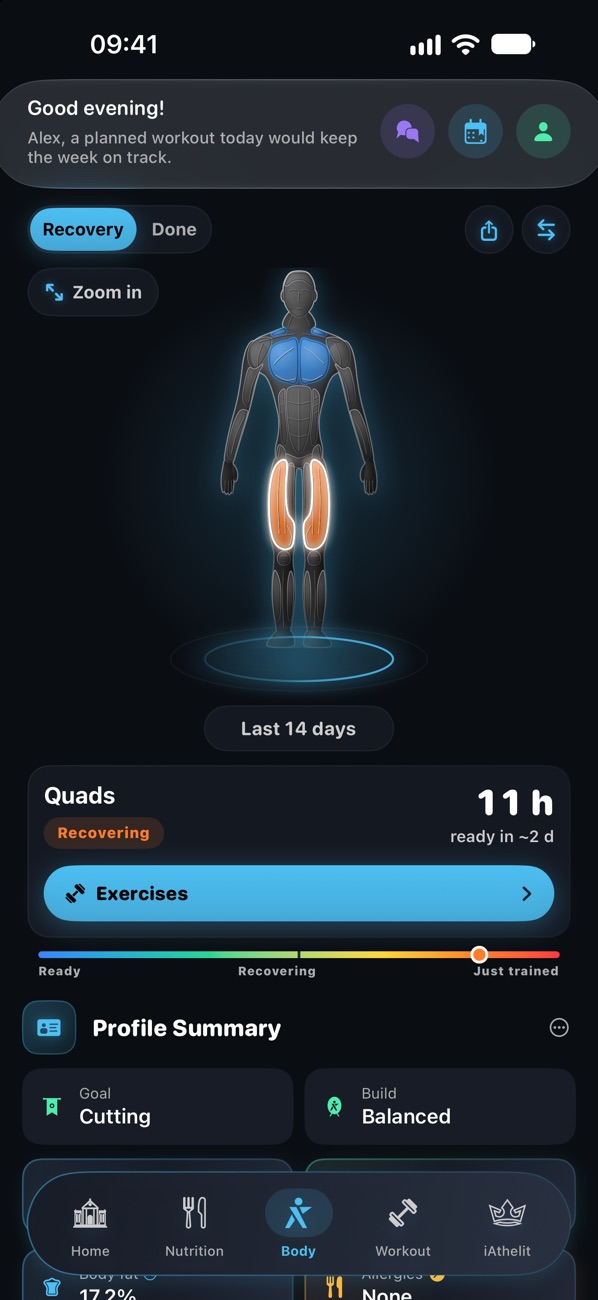
Real screens from the apps, now in testing, and only a fraction of what they can do. The numbers belong to a demo athlete.
iAthelit
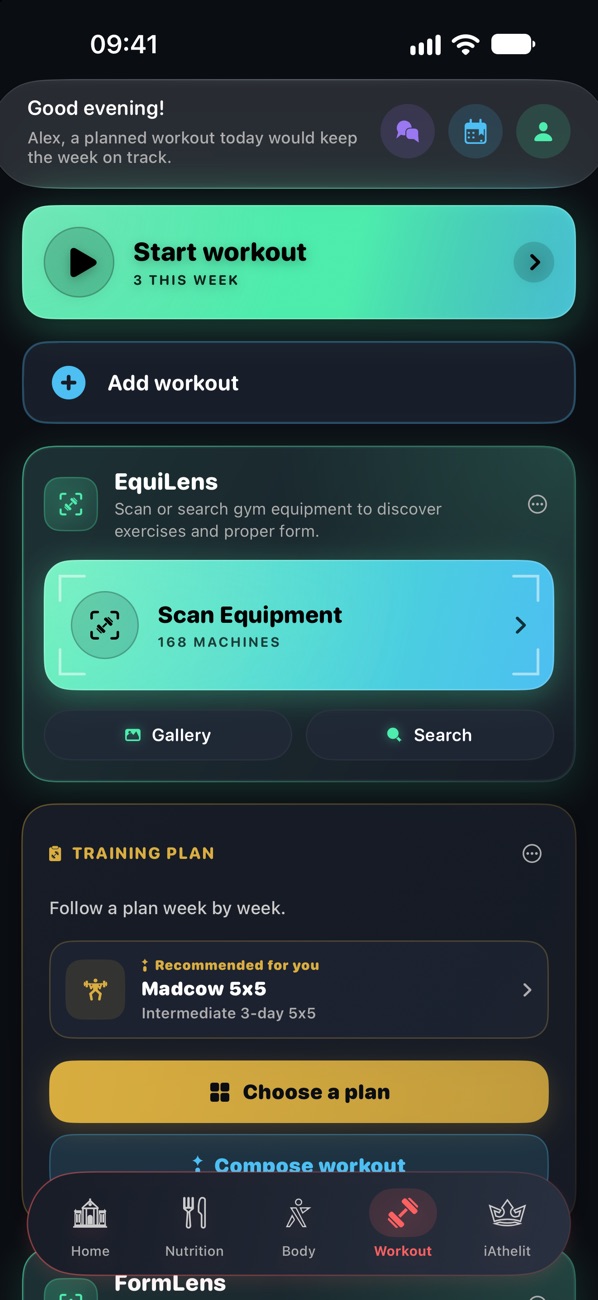
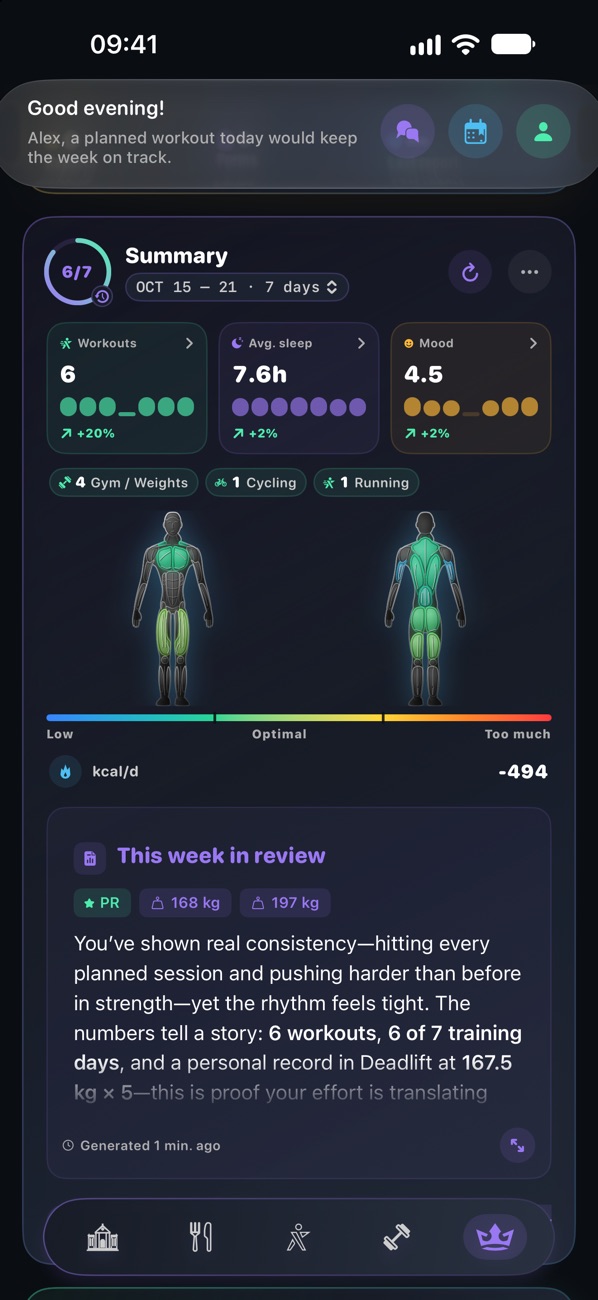
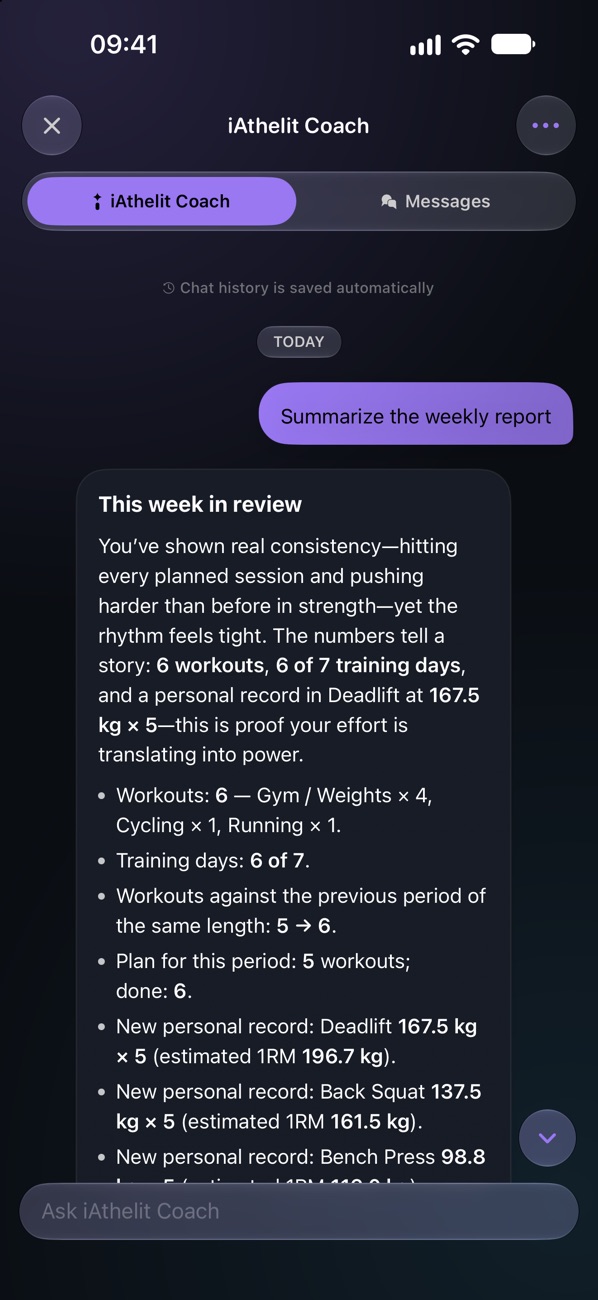
iPhoneFive tabs: weight and goal, food journal, a muscle map that tracks recovery, training and an AI coach that knows your numbers.
iAthelit
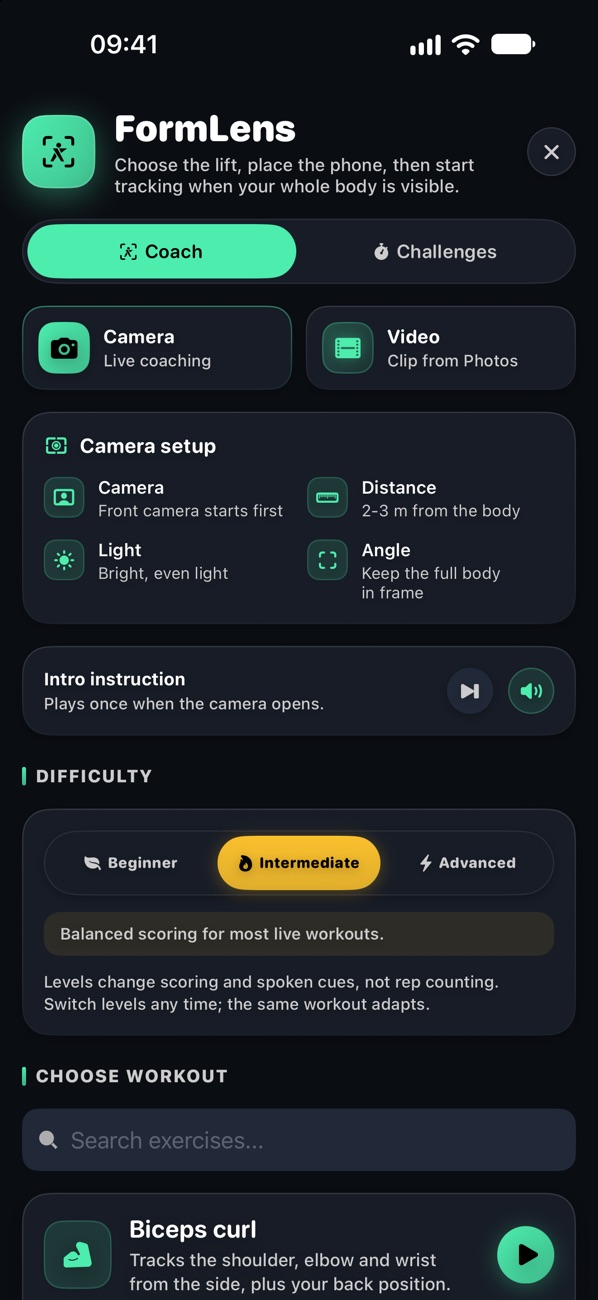
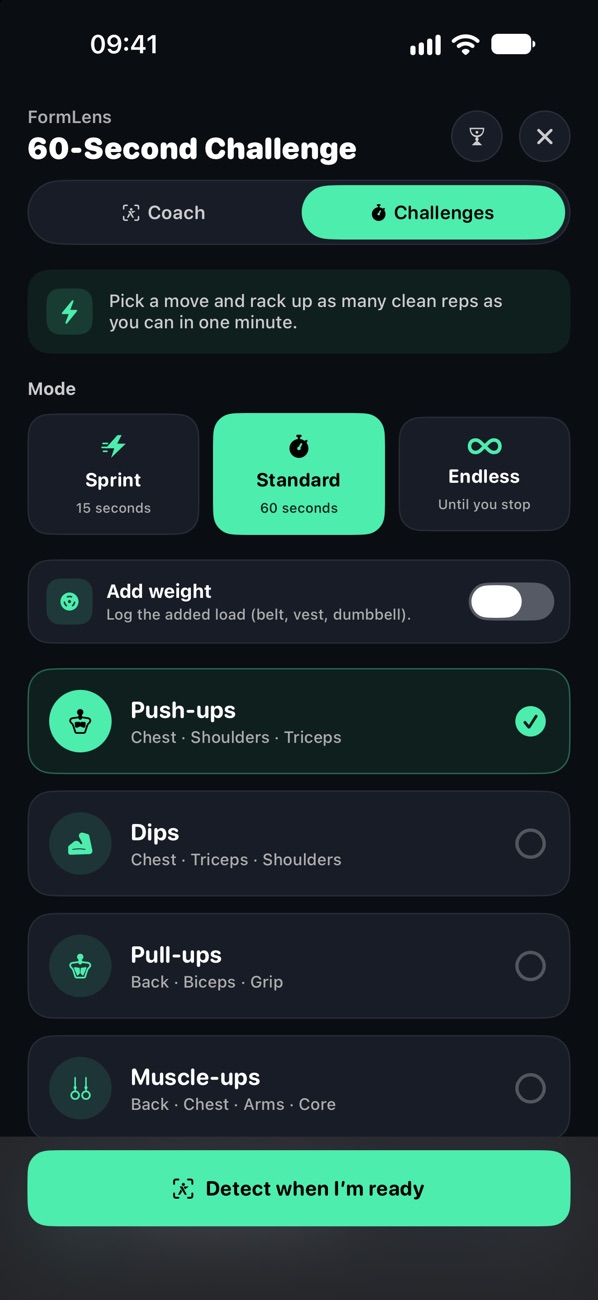
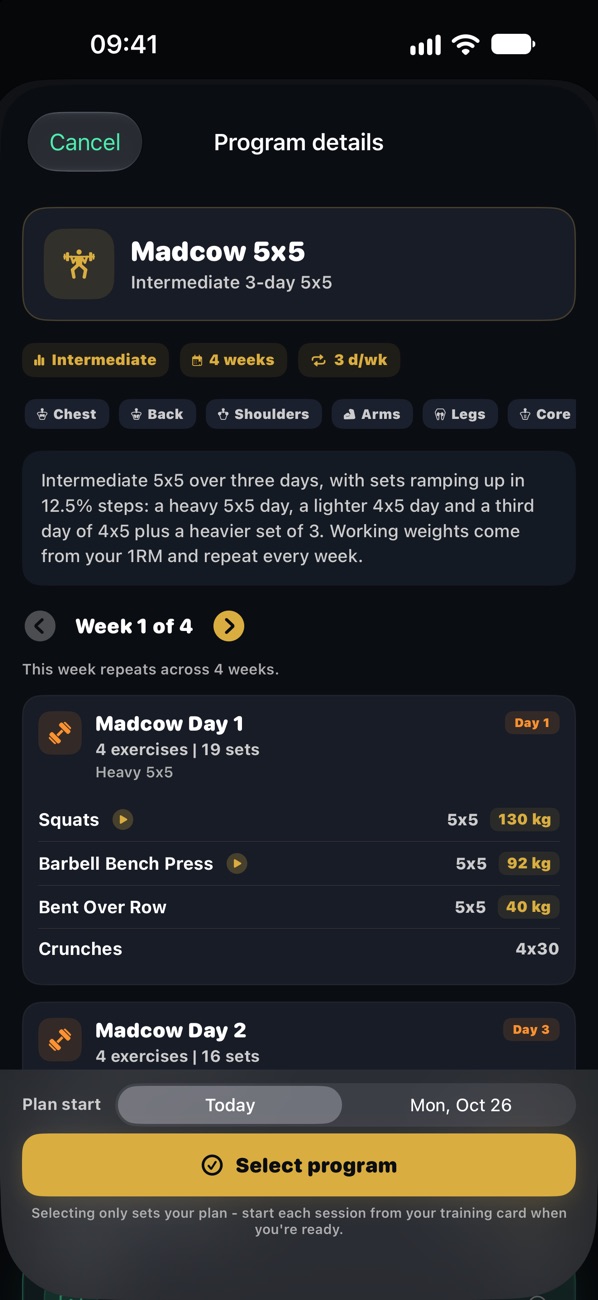
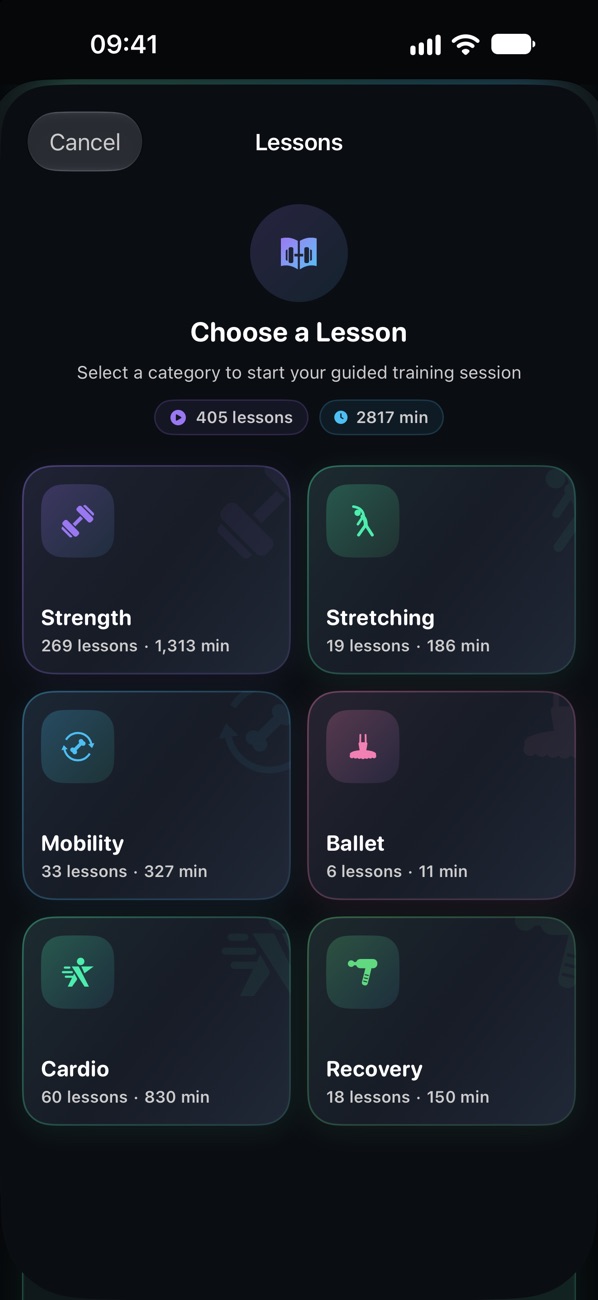
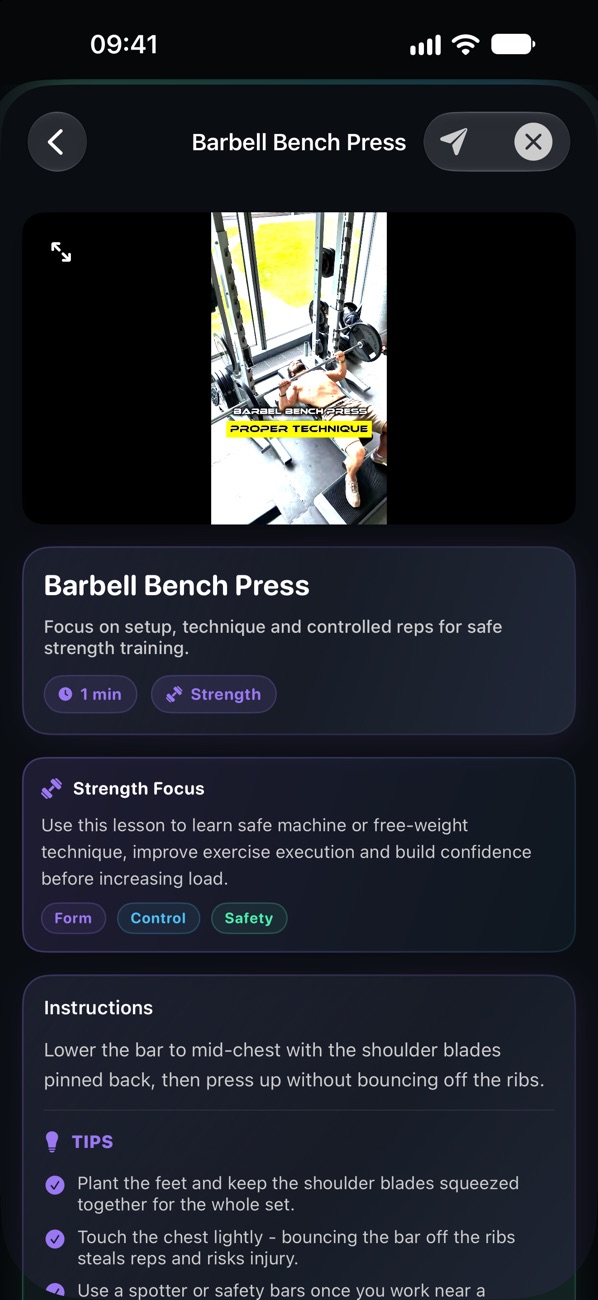
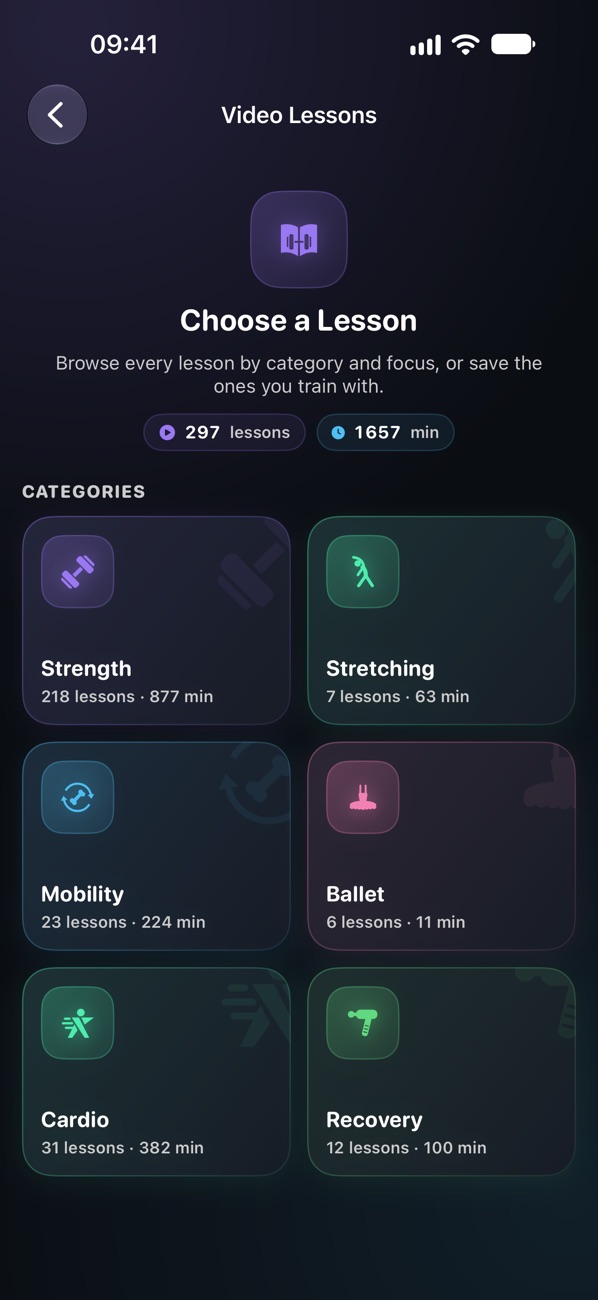
FormLensEquiLensVideo lessonsTraining with the camera and a plan: live form feedback, gym machine recognition, multi-week programs and a library of video lessons.
iAthelit
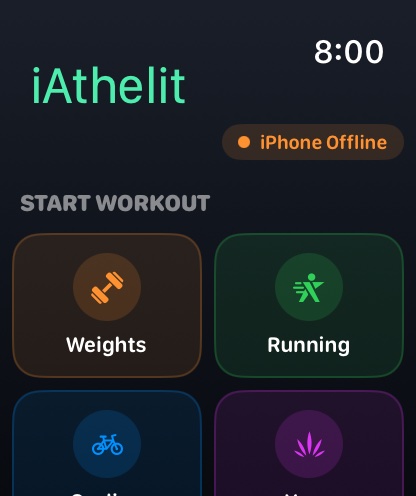
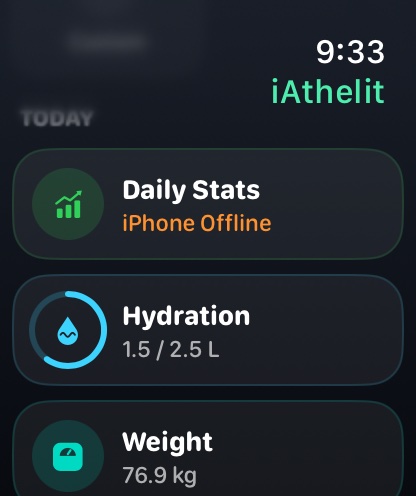
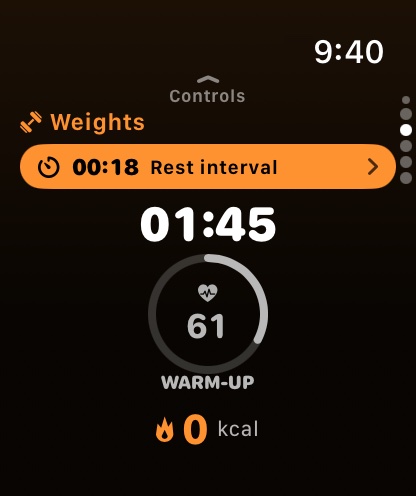
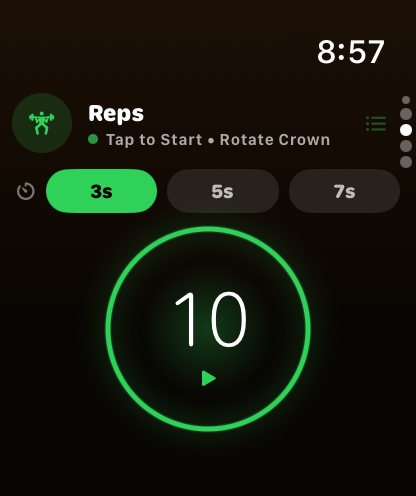
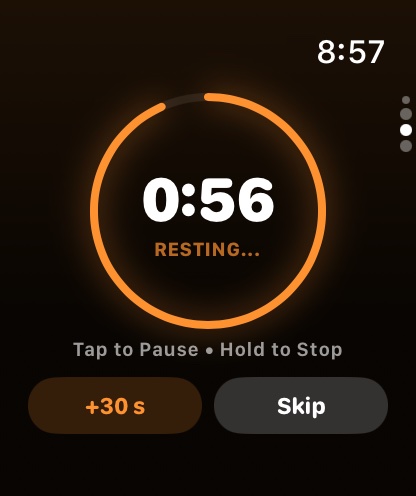
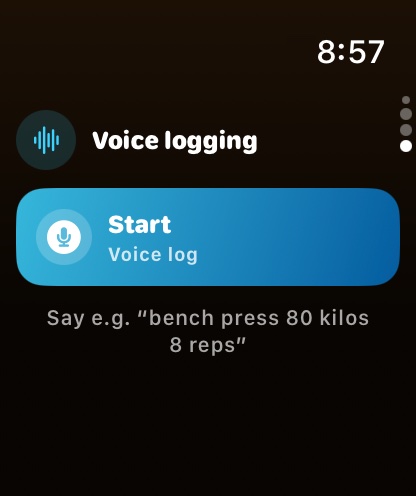
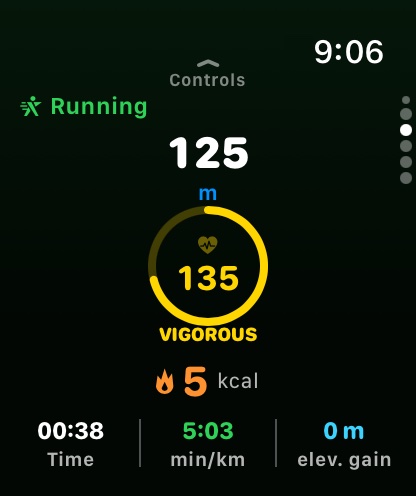
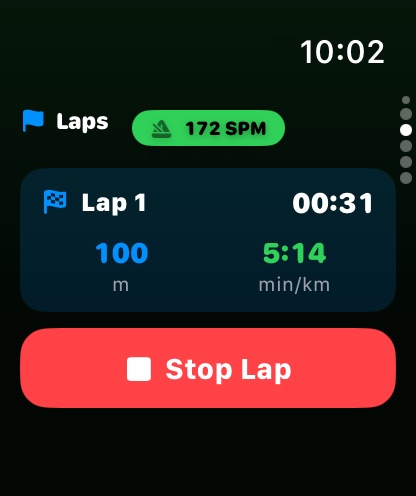
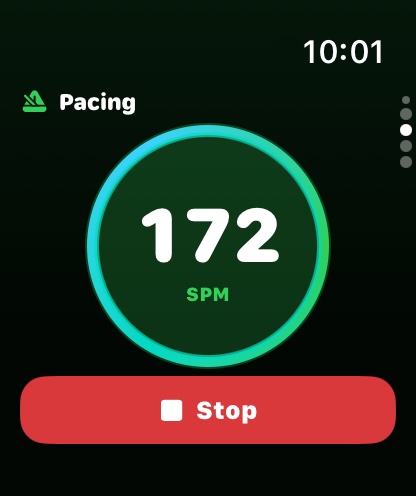
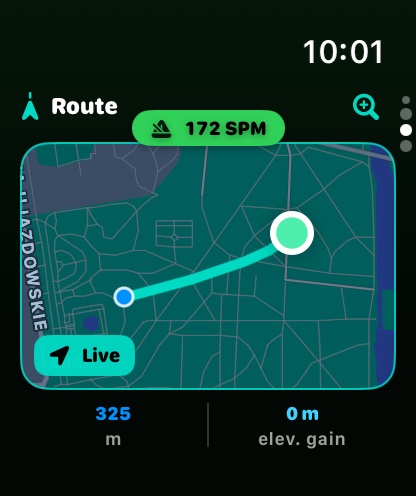
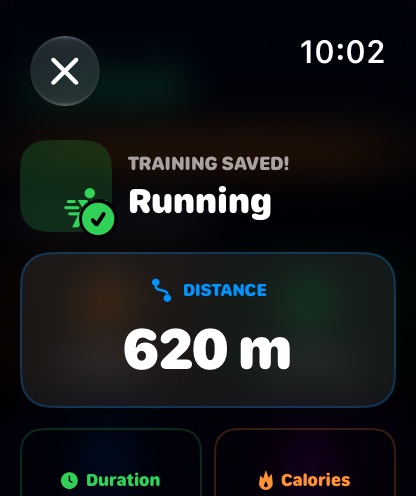
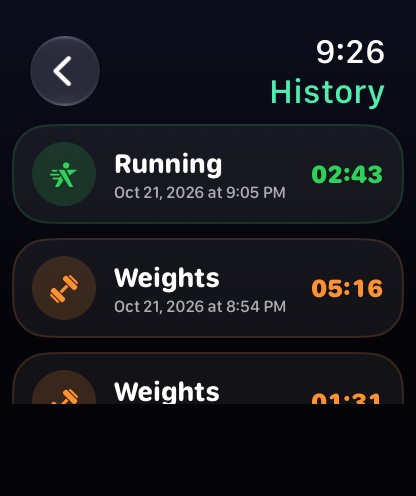
Apple WatchThe whole session on the wrist: sports grid, reps and rest timer, voice-logged sets, laps, a pacing metronome and a live route map.
Envoy
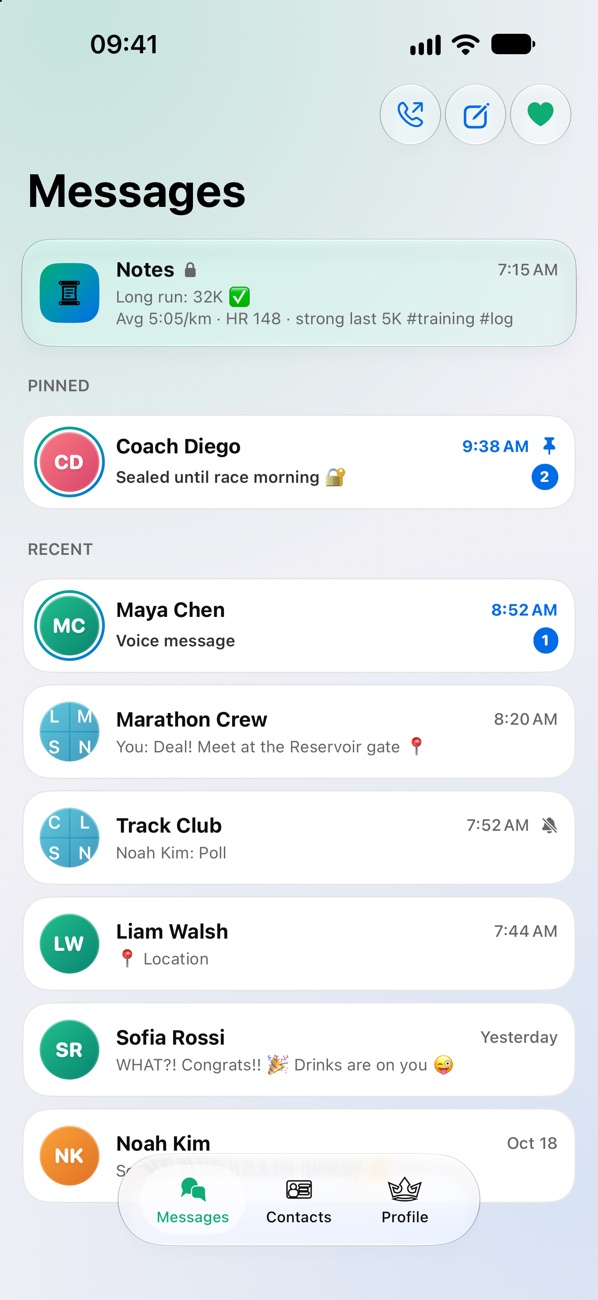
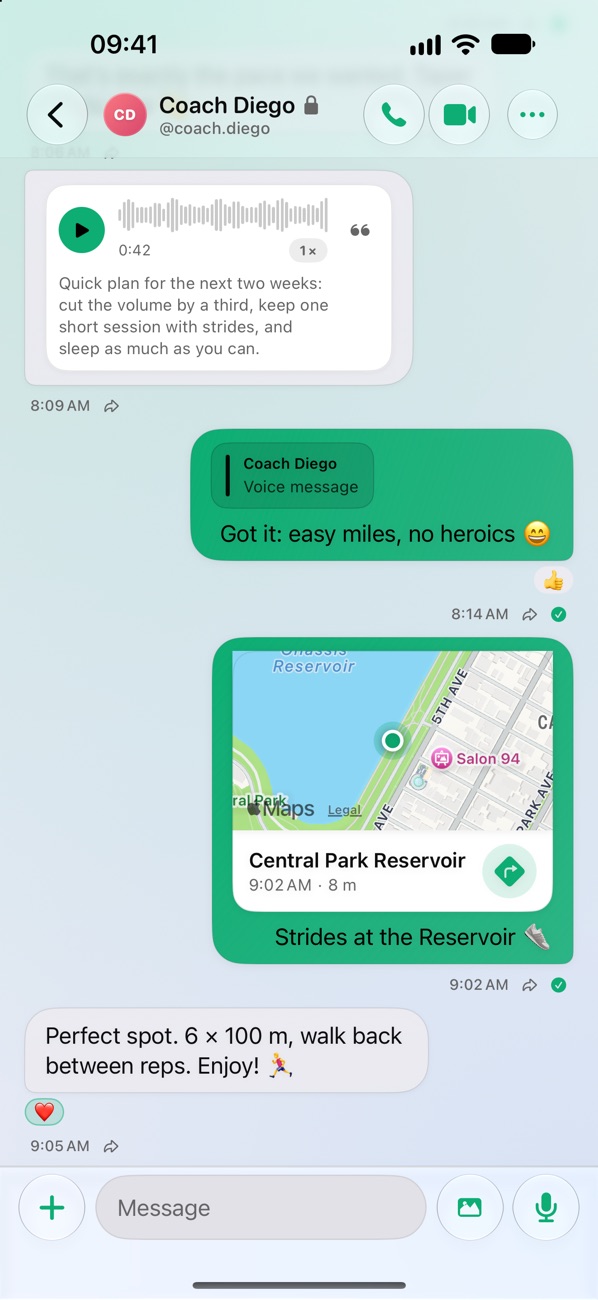
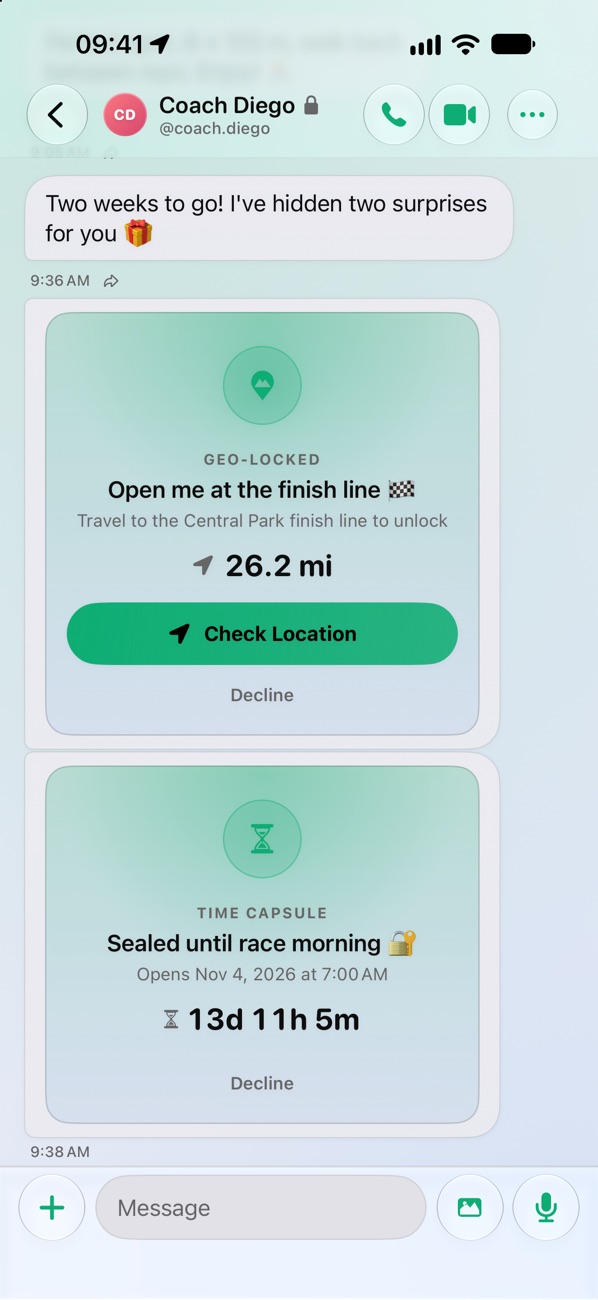
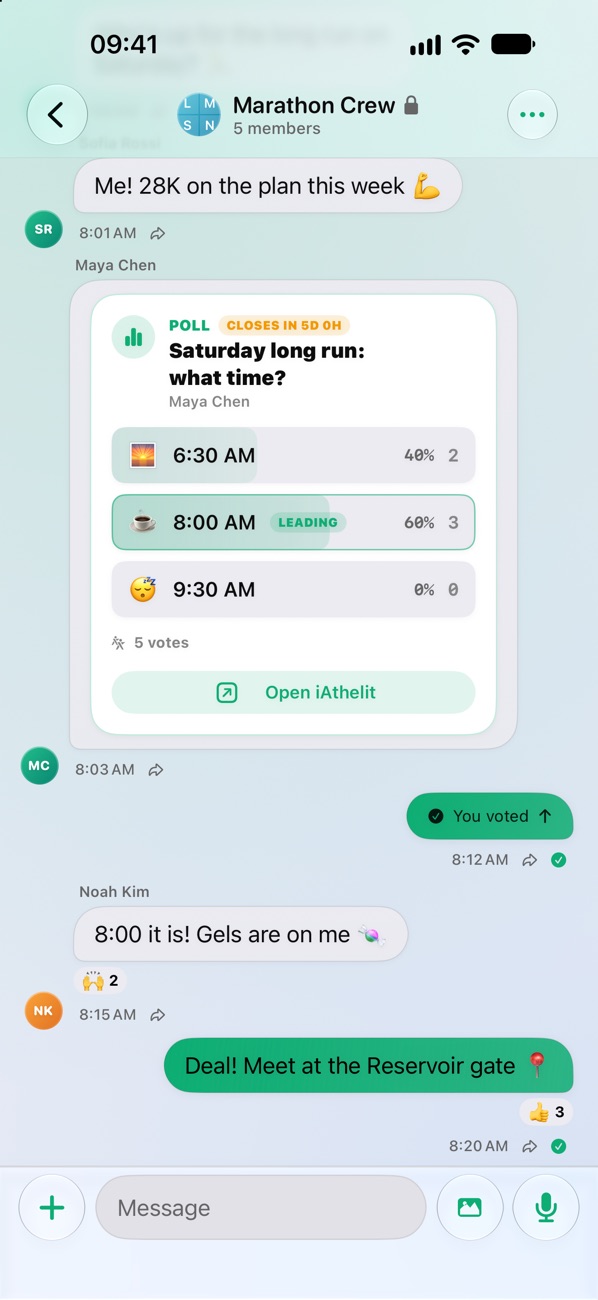
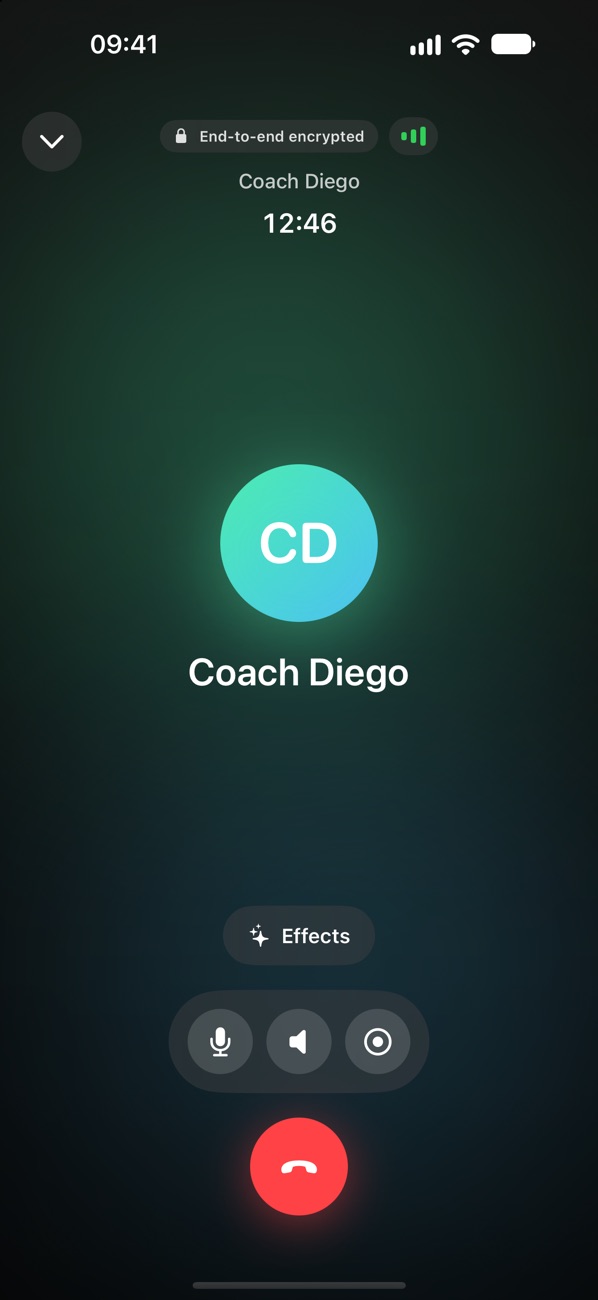
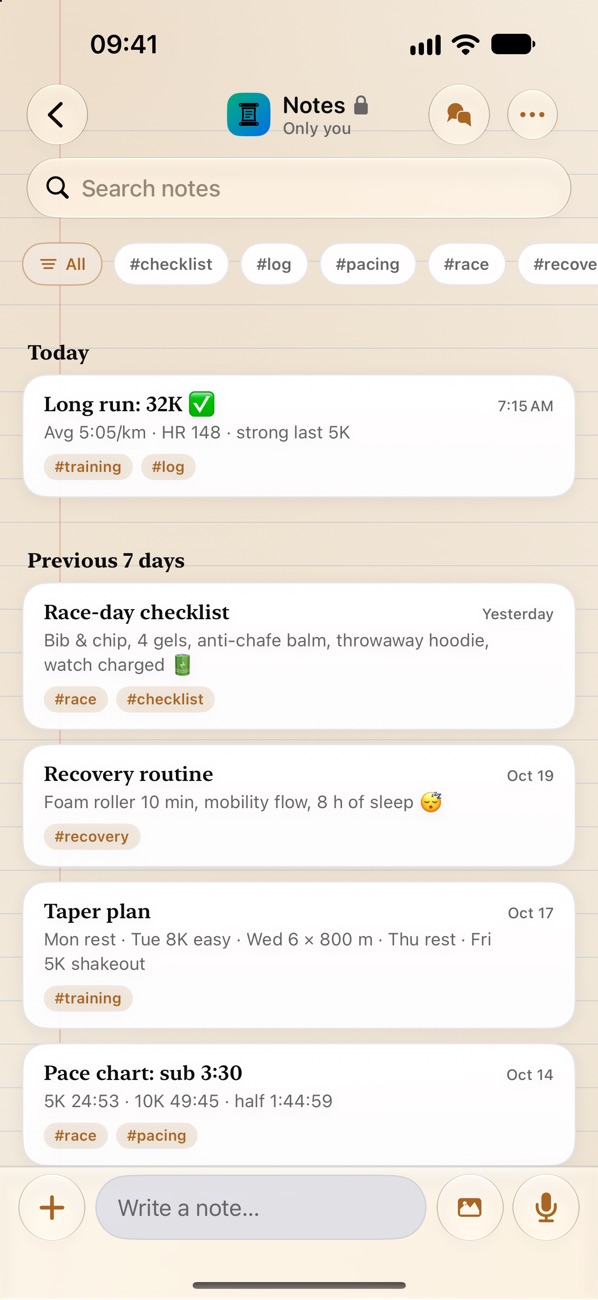
iPhoneThe community messenger: end-to-end encrypted chats, calls, polls and notes, plus messages that open only at a place or a time.
EquiLens
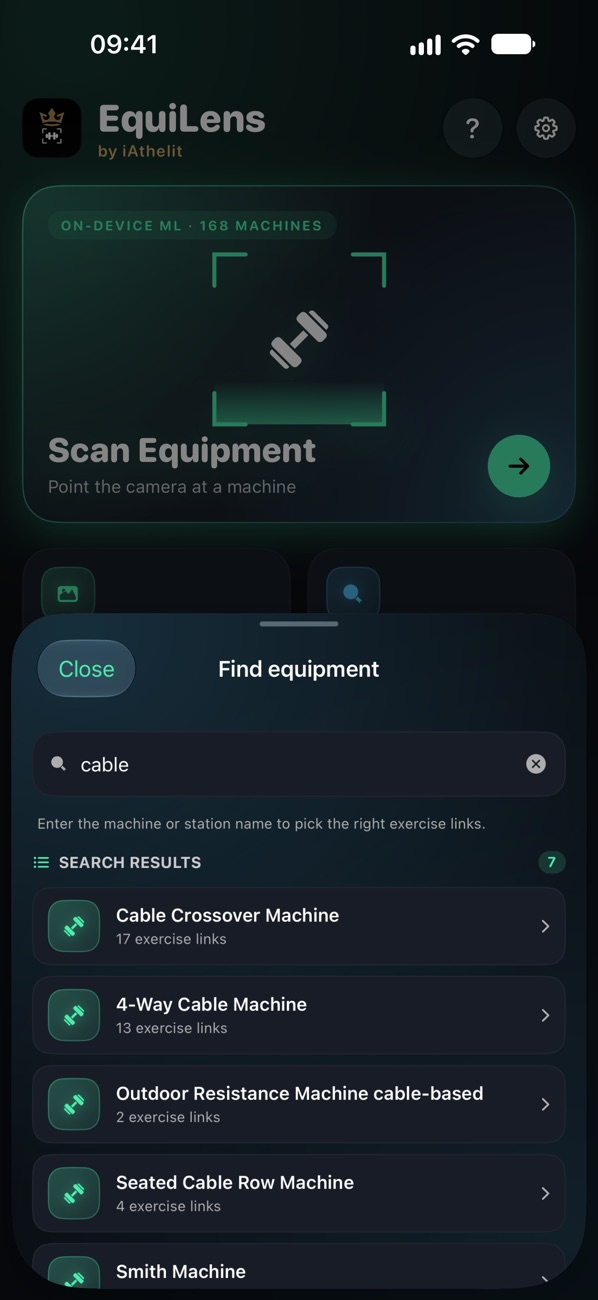
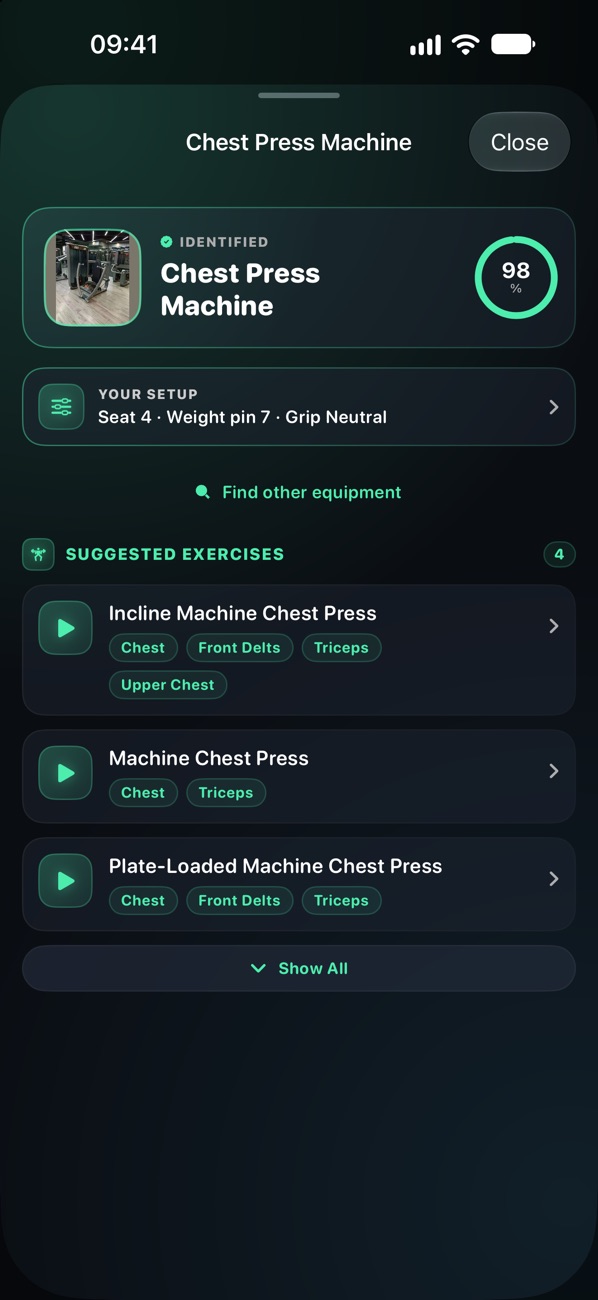
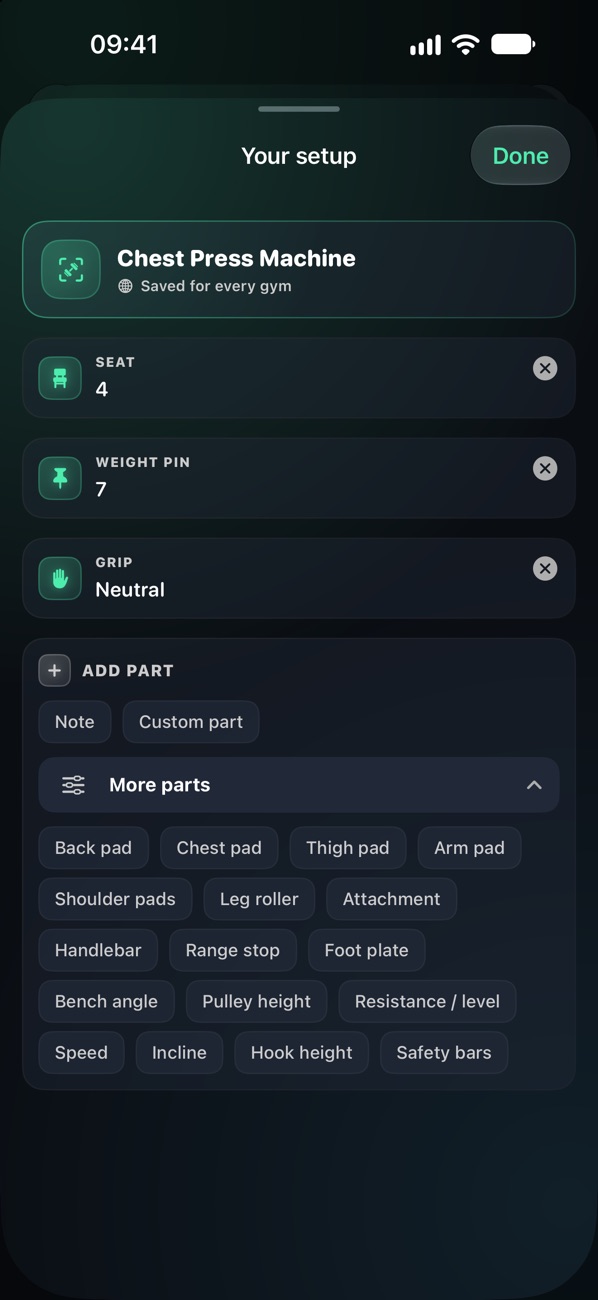
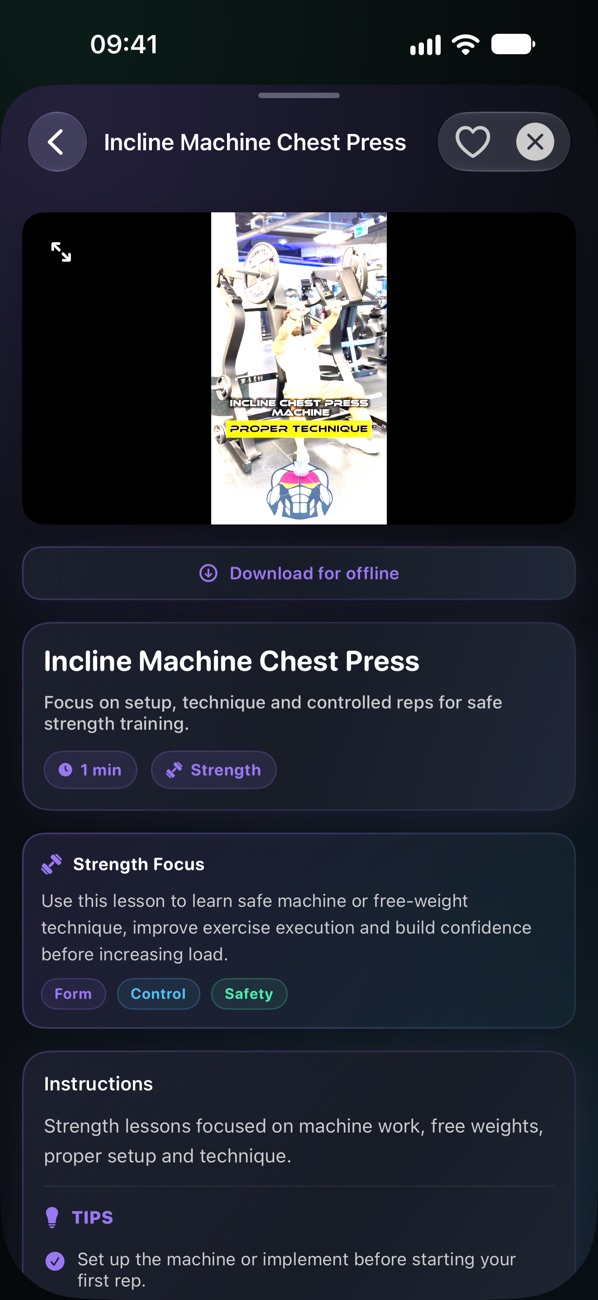
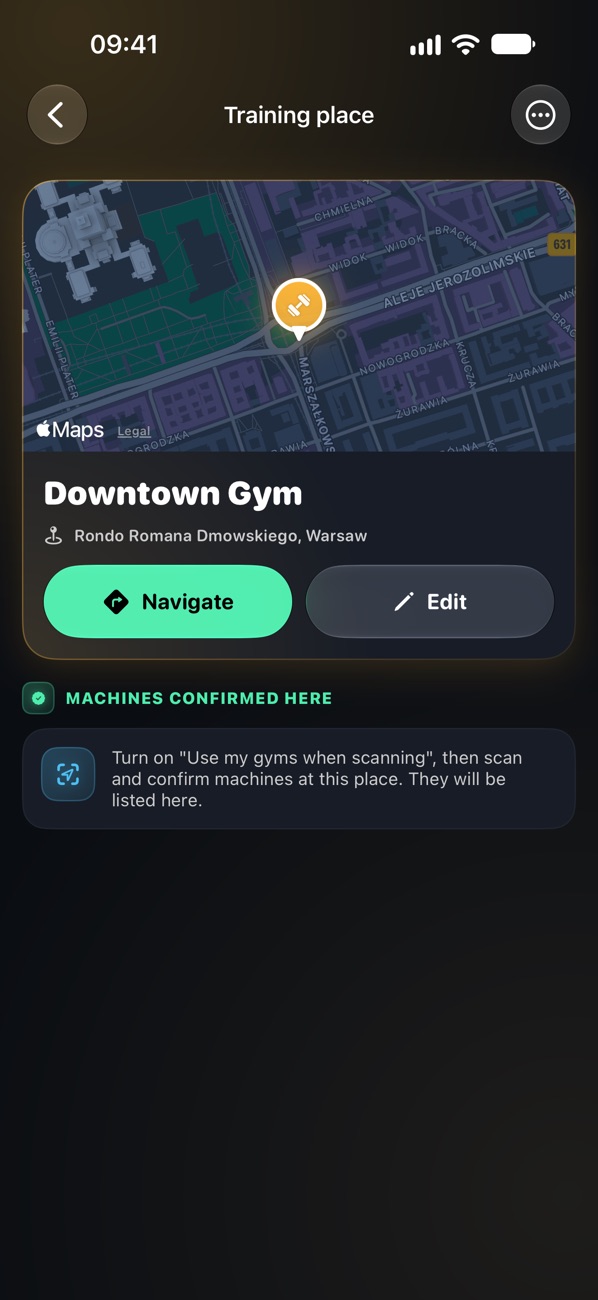
iPhoneA pocket guide to gym equipment: recognition on your iPhone, the exercises for each machine, technique videos and the setup you use on it.
This is only a fraction
The screens above show only part of it. Open a group to see every feature:
The iAthelit app works without an account. Only the chat and the features built on it (sharing, duels, meetups, Coach Hub) need an iAthelit account. Envoy is a messenger, so it always does. EquiLens never needs one.
iAthelit · iPhone
Training17
- 19 sports and 280+ activity types
- Live workouts with GPS, heart rate and pace
- Set logging with an automatic rest timer
- Hands-free set logging by voice
- 43 training programs, from 5/3/1 to marathons and yoga
- Program recommendations
- Exercises by muscle group
- Exercise tips for weaker areas
- 1RM calculator and history
- Recovery score from HRV, sleep and training load
- Heart rate zones
- Step goal prediction
- Workout history with route maps
- Training insights and trends
- Workout summary with a mood rating
- Summary sent automatically to chosen people
- Log workouts after the fact
Camera: FormLens and EquiLens14
- Live form feedback with voice cues
- Automatic rep counting and tempo
- Set summary: knees, depth, tempo and fatigue
- Timed holds such as the plank
- Set replay
- Form quality history
- Levels from gentle to advanced
- Hands-free start by voice or automatically
- 60-second challenges: sprint, standard, endless
- Challenge duels with friends
- Challenge history, share cards and video clips
- EquiLens recognises 162 gym machines
- Exercises matched to each machine
- Gym machine search
Video lessons4
- 343 video lessons
- 35 collections, from yoga and Pilates to foam rolling
- Technique videos straight from your workout
- Lessons saved for offline viewing
Nutrition15
- 9 diets, from keto to intermittent fasting
- Goal: cut, maintain or bulk, at your chosen pace
- Calorie needs, BMR and metabolic age
- Food recognition from a photo
- Describe a meal and AI estimates it
- Barcode scanner
- Food database and manual entry
- Meal library with full macros
- Minerals and amino acids
- Protein spread across meals
- Training day and rest day macros
- Diet match and 7-day consistency
- Diet gap analysis
- Weekly nutrition summary
- Hydration target that follows your training
Meal planning and shopping7
- Weekly meal planner
- AI meal suggestions
- AI-written recipes for your meals
- 62 cooking lessons
- Shopping list from planned meals
- In-store mode, sorted by aisle
- Shopping history
Supplements and allergies6
- Supplement library in 36 categories
- Your stack with doses and timing
- Interaction warnings
- Reminders and low-stock alerts
- Allergies and intolerances in 40 categories
- Allergy report as a PDF
Body and health12
- Body weight with trend and tags
- Bluetooth smart scales
- Weight projection
- Body fat, lean mass and FFMI
- US Navy body fat from tape measurements
- Body measurements with history
- BMI, ABSI, WHR and WHtR
- Body type analysis
- Sleep log with sleep debt and an advisor
- Menstrual cycle: symptoms and predictions
- Mood log
- Live data from Apple Health
AI coach14
- AI coach chat that knows your data
- Refine answers: shorter, more detailed, practical, motivating
- Charts inside answers
- Daily AI briefing
- Answers read aloud
- Weekly report with period comparison
- Reports for your coach as a PDF
- Training notepads with AI summaries
- Quick log, templates and Markdown in notes
- Trends from your notes
- On-device AI with models from Hugging Face
- Apple Intelligence
- Cloud models with your own key: OpenAI, Claude, Gemini, DeepSeek, OpenRouter
- Web search for the coach
Motivation and community7
- 105 quests: steps, running, cycling, swimming, sleep and lifting
- 30 challenges
- Badge shelf
- Quest share cards
- Anonymous Community Pulse and your rank
- 397 fun facts about your effort
- Greetings that match your day
Routes and meetups7
- Route recording
- Route library with collections and filters
- GPX import and export
- Route replay with a ghost runner
- Points of interest with navigation
- Meetups with RSVP and reminders
- Routes and meetups shared in chat
Activity calendar7
- Day-by-day activity heatmap
- Patterns and insights
- Compare date ranges
- Year overview
- Day tags
- “Your Canvas”: art made from your activity
- PDF export and share card
Chat11Account
- End-to-end encrypted chats and groups
- Workouts, meals, records and routes as cards
- Animated before/after progress photos
- Share training plans, diets, supplements and shopping lists
- Polls and quizzes
- Voice messages with transcription
- Scheduled messages
- Messages unlocked by time or place
- Reactions, pinned messages and reminders
- Location sharing
- Private notes
Coach Hub for trainers12Account
- Client roster with invite link and QR code
- Client scorecards and plan adherence
- Check-in forms with measurements and photos
- Check-in schedules and compliance
- Program builder
- Training and diet plans for clients
- Client timeline and tags
- Client technique from FormLens
- Progress reports as a PDF
- Weekly coach digest
- Plan analytics
- Quick send and bulk tagging
Creator Studio6
- Posts, stories and reels from your workouts
- Formats for Instagram, TikTok, Strava and X
- Templates, brand kits and drafts
- Animated layers and video export
- AI captions
- Hides sensitive data and route start and end
Widgets and Live Activities9
- Daily stats
- 12-week activity heatmap
- Cycle tracking
- Training volume and distance
- Lock Screen widgets
- Add water straight from a widget
- Live workout in the Dynamic Island
- Pause, resume and rest from the Lock Screen
- Shopping list on the Lock Screen
Privacy and settings12
- Local-first health log
- Privacy dashboard
- Daily automatic backup and iCloud sync
- Export and restore from Files
- Face ID lock for API keys
- Your own card layout on every tab
- Reminders: workouts, meals, water, sleep and weigh-ins
- Accent colours, dark mode and high contrast
- Metric and imperial units
- Polish and English
- Guided setup and in-app guides
- New content without an app update (with an account)
iAthelit · Apple Watch
Training9
- All 19 sports from the iPhone app
- Live heart rate zone, pace, distance and elevation
- GPS route tracking
- Automatic rep counter
- Set and rest timers
- Strength sessions from your plan
- Voice logging: “bench press 80 kilos 8 reps”
- Workouts saved to Apple Health
- Live session mirrored on your iPhone
Every day6
- Water tracking
- Body weight entry with the Digital Crown
- Daily stats: steps, calories, sleep and weight
- Daily quests
- Workout history
- Works without your iPhone and syncs later
Envoy Account
Messages20
- End-to-end encrypted 1:1 and group chats
- Group admins
- Photos, videos and documents
- Voice messages with on-device transcription
- Transcript translation
- Messages read aloud
- Reactions, replies and @mentions
- Edit, delete and forward
- Pinned messages and drafts
- Delivery and read receipts
- Polls and quizzes
- Scheduled messages: at a set time or on arrival
- Time capsules and geo-locked messages
- Vault for locked messages
- Follow-up reminders
- Location sharing
- Private notes with #tags
- Media gallery: photos, links, documents and places
- Message search
- iAthelit cards: workouts, macros and records
Calls8
- Encrypted audio and video calls
- Native iPhone call screen (CallKit)
- Screen sharing
- Call recording with a notice to the other person
- Background blur and 0.5× ultra-wide camera
- Voice effects
- Picture in Picture
- Call history
Privacy and security7
- App lock with Face ID, Touch ID or passcode
- Key protection: iCloud Keychain or this device only
- New device confirmation and key change alerts
- Safe link previews
- Block and report
- No ads, no tracking
- Full account deletion
Sharing and style7
- Share from any app
- Contact QR code and invite link
- Sign in with Apple or your iAthelit account
- Accent colours, light and dark themes, chat themes
- Auto-save media to Photos
- Sharper photos and 1080p video with Pro
- Polish and English
EquiLens · iPhone
Recognition and search6
- Recognises 169 gym machines
- Scan with the camera or from a saved photo
- Recognition on the iPhone: photos are never uploaded
- Search machines by name
- Flashlight and an automatic low-light mode
- Recent scans, kept after you close the app
Exercises and lessons7
- Exercises matched to each machine, with the muscles they work
- Step-by-step instructions and technique tips
- Short technique videos for most exercises
- Videos saved for offline viewing
- 242 video lessons in five categories
- Lesson filters: focus, muscles and duration
- Saved lessons
Your gyms and the app5
- Saved gyms on a map, with directions
- Scans at your gym favour the machines confirmed there
- No account and no workout log
- Light and dark appearance
- English and Polish, switchable in the app
Videos
Watch the features
Three apps, eleven short clips, recorded on the real apps. Tap play — nothing streams until you do.
iAthelit
iPhoneTraining, nutrition, body and coaching.
iAthelit
Apple WatchThe session on the wrist: crown, reps, rest and a run that draws its own route.
Envoy
iPhoneThe community messenger: polls, notes, location and messages.
EquiLens
iPhoneThe pocket guide to gym equipment.
How it works
Start in three steps
No account needed to start training. You only need one for the chat and Envoy.
Get the apps
iAthelit and Envoy for iOS — in testing now, heading to the App Store.
Start training
No sign-up needed: pair your Apple Watch and log your first session.
Add an account when you need it
Create it in the app, with Apple or e-mail. It opens the chat and Envoy.
Platform
Built for Apple
The whole iAthelit experience is designed around the hardware you already train with.
- iAthelit for iOS — training, nutrition and AI coaching in your pocket.
- Apple Watch — sessions, heart rate and rings, on the wrist.
- Widgets & Live Activities — your streak on the lock screen.
Need an account?
Only for the chat and Envoy, and you create it in the app. The apps land on the App Store once testing wraps up.
FAQ
Good to know
Do I need an account?
Only for some things. On this site it only opens your profile. The iAthelit app works without an account; only the chat and the features built on it, such as sharing, duels, meetups and Coach Hub, need one. Envoy is a messenger, so it always requires an account.
Do I need an iPhone?
The full experience runs on iOS and Apple Watch. Community statistics also work in any browser on any device.
When do the apps hit the App Store?
The iAthelit and Envoy apps are in testing right now. They launch on the App Store once testing wraps up — community stats work today.
Can I leave anytime?
Yes. The details are in the Terms of Service.
The iron is waiting
Train with a network that keeps its edge.
See community stats